Memory-dependent
You intend to follow up Thursday. Thursday fills with crew problems, customer changes, and new work. Nothing breaks. The next step simply never happens.
Being busy should not be a failure mode
The quote you meant to follow up on. The confirmation you thought went out. The invoice you planned to send. Routine work is easy to miss when you are running everything else. Opti-Terrain comes with supported workflows already built, completes configured routine steps, and brings decisions back with the context attached.
Predictable work moves. Exceptions return. You stay in control.
Stop being the workflow engine
You are supposed to be busy. More customers, technicians, jobs, messages, and schedule changes should not create more ways for routine work to disappear. Opti-Terrain handles supported actions under your rules, then stops and asks when pricing, scope, capacity, or another exception requires judgment.
You intend to follow up Thursday. Thursday fills with crew problems, customer changes, and new work. Nothing breaks. The next step simply never happens.
A dashboard can tell you what to do, but the task still waits for you to open the software, find the context, and push the workflow forward.
Configured routine work moves when it should. Anything outside your rules returns with the reason, customer impact, and decision attached.
Do predictable work. Bring me decisions.
The routine automations are already built into the operation. Set the timing, eligibility, capacity, messages, and approval boundaries once. Opti-Terrain watches for the trigger, completes the configured action, returns judgment calls before damage is done, and records what happened.
Choose timing, services, zones, capacity, eligibility, channels, and approval boundaries.
Opti-Terrain monitors the relevant request, deadline, status, schedule change, or completion event.
Supported configured actions happen before another task has to reach your personal list.
Risky or ambiguous choices arrive with the affected job, customer impact, and reason attached.
Review the status, history, proposed change, communication, and next action in the same operation.
Move supported work toward a priced quote and route visit-required work to an assessment.
Use your follow-up delay and validity window for one bilingual reminder and a clear expiry.
Send one configured reminder before the visit without relying on office memory.
Create the next weekly, biweekly, monthly, quarterly, or annual job after completion.
Prepare a linked draft invoice after completion while leaving the send decision with the office.
Reassign only eligible routine work or prepare a customer reschedule path when the rules allow it.
Prepare a future date and technician option for weather-sensitive work, then wait for owner approval.
Revalidate exact availability, follow up after 2 hours, escalate after 4, and expire after 24.
What no longer has to live inside your head
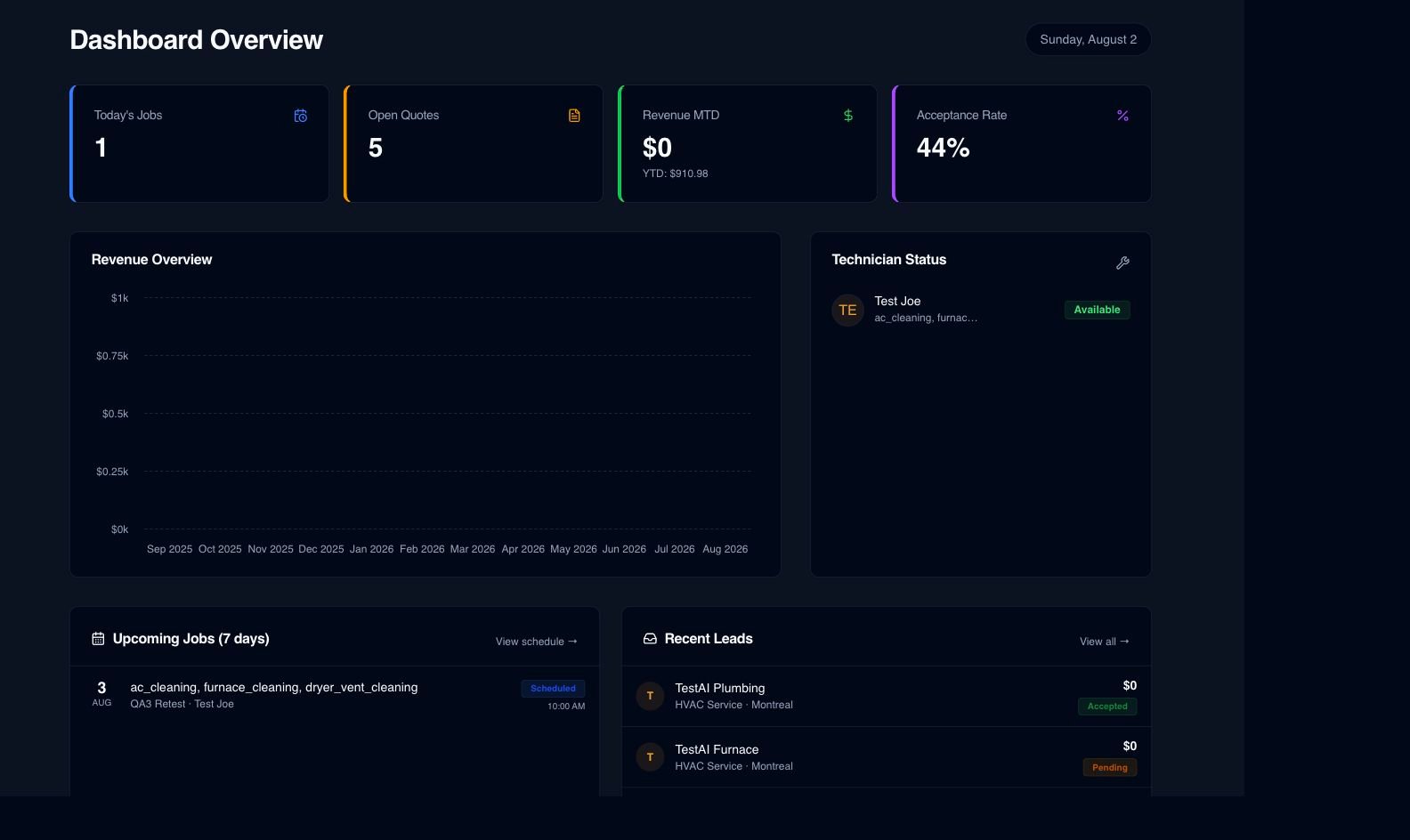
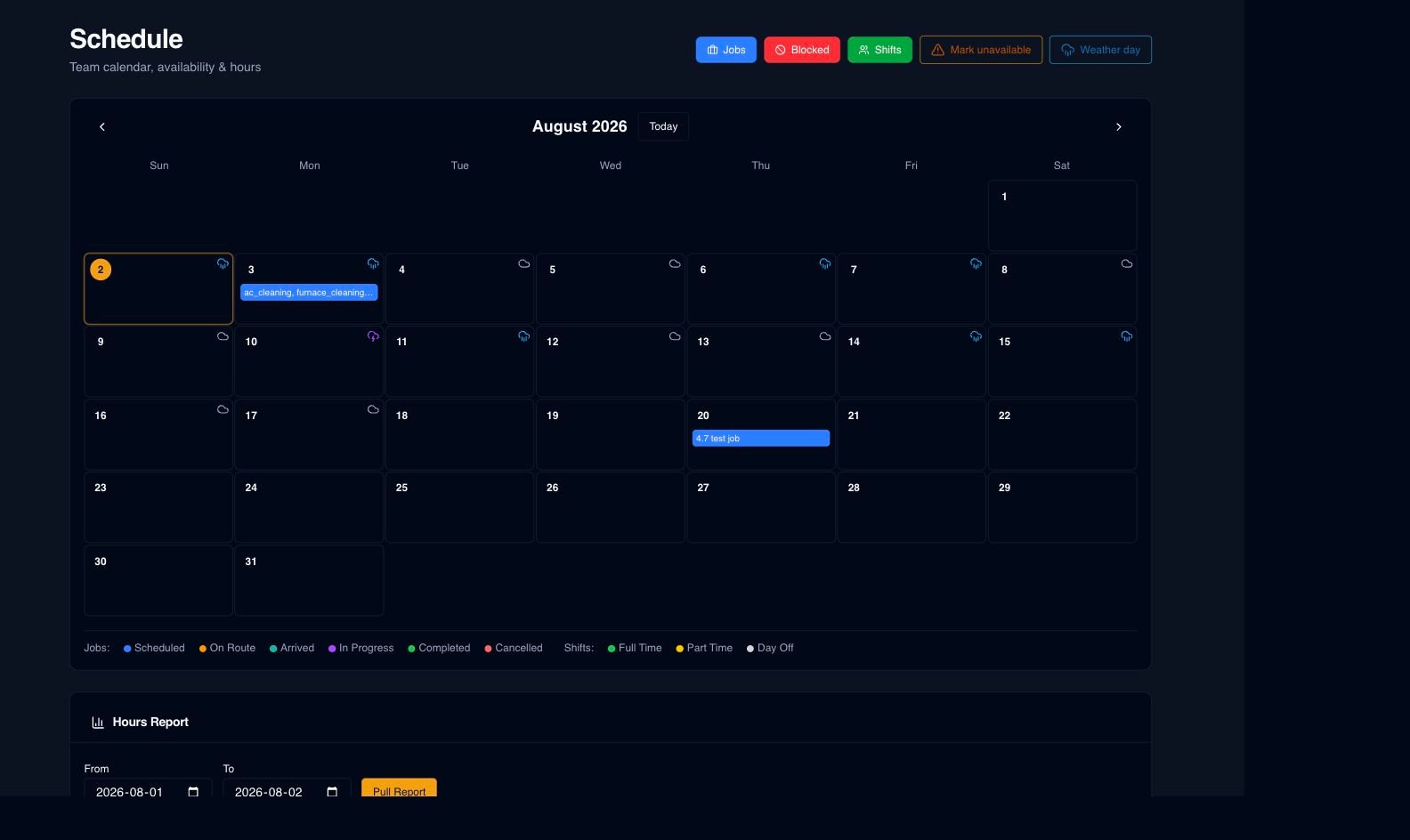
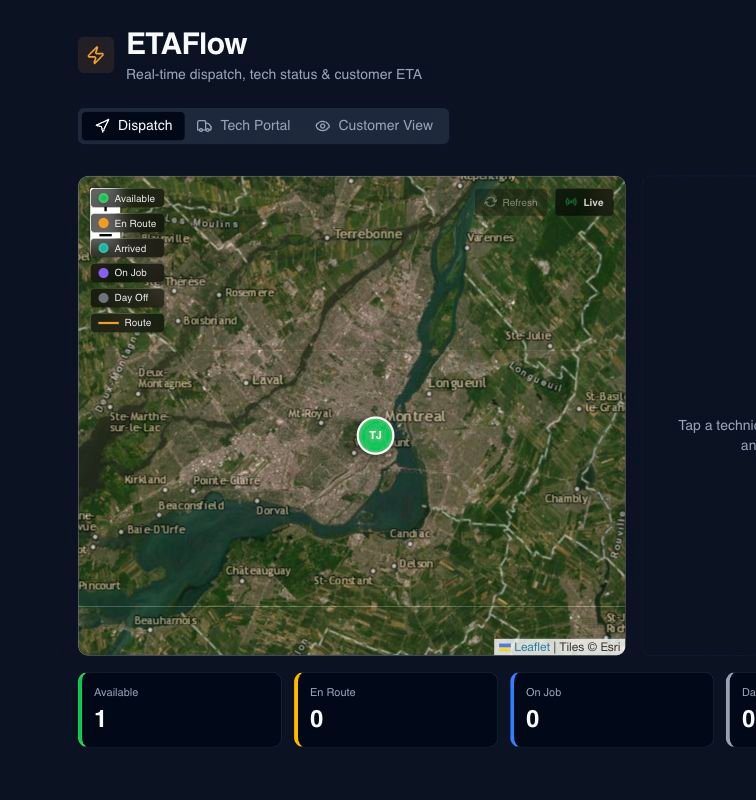
These are current Opti-Terrain screens, not concept mockups. See what moved, what needs judgment, and what remains attached to the customer, job, schedule, and configured next action.
Jobs, quotes, technicians, and incoming leads stay visible so the owner can focus on exceptions instead of reconstructing the day.
Availability reflects shifts, blocked time, weather context, existing work, capacity, and travel buffers before a promise reaches the customer.
Active work, technician state, and ETA information stay with the job before uncertainty creates another interruption or cancellation.
Four next steps you should not have to carry
Adaptable intake gathers useful details, then routes supported work toward a quote and complex work toward an assessment.
Configured validity and follow-up timing can send the supported reminder while the quote status and response remain visible.
Available times reflect shifts, blocked dates, existing work, capacity, and travel buffers before the customer commits.
English and French confirmations, reminders, updates, ETA information, quotes, invoices, and satisfaction requests remain connected to the work.
Built around real field work
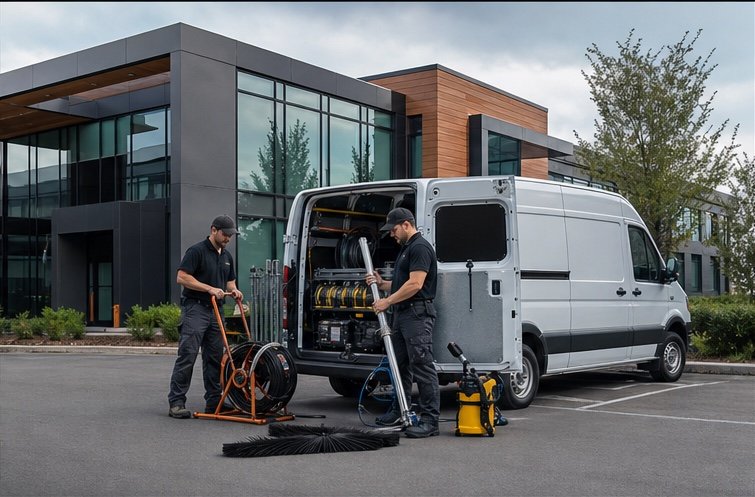
Residential calls, commercial sites, exterior routes, and interior projects all create different details. Opti-Terrain keeps the customer, schedule, crew context, documents, and next action connected.



What your trade should not have to remember
The vulnerable moment changes by trade. Explore how configured intake, quoting, scheduling, communication, recurring work, and billing keep routine follow-through from depending on one busy owner.
An emergency call should not make the HVAC lead you meant to return disappear.
Explore ↗02The duct-cleaning quote you meant to follow up on is already being compared with three others.
Explore ↗03A painting project should not disappear between the site visit and the quote you planned to finish later.
Explore ↗04Gutter season should not turn every unanswered request into something else you have to remember tonight.
Explore ↗05The seal-coating follow-up you meant to send should not cost another dry day.
Explore ↗06Recurring pool revenue stops being recurring when the next visit depends on someone remembering it.
Explore ↗07Recurring lawn revenue should not depend on someone remembering to create the next visit.
Explore ↗08The window-cleaning estimate you planned to revisit should not wait until the customer follows up with you.
Explore ↗09Reliable recurring cleaning should not depend on you rebuilding the week from memory.
Explore ↗10The carpet-cleaning inquiry you saw between jobs should not disappear before you get back to it.
Explore ↗11The pressure-washing follow-up you planned to send should not become someone else’s easy win.
Explore ↗12One urgent plumbing call should not make the rest of today’s operation forget what happens next.
Explore ↗Let activity grow without multiplying mental load
Structured intake gives the office and field team the same useful context while customer interest is still high.
Scheduling checks real availability before an impossible promise reaches the customer.
Customers can receive timely reminders, status, and ETA information instead of calling you for every update.
Quotes, job notes, supported field actions, expenses, invoice drafts, and invoices remain tied to the work.
Public customer flows support English and Quebec French.
TPS, TVQ, NEQ, and RBQ information can appear where customers expect it.
Twenty parts you should not have to hold together
Explore twenty verified product areas that keep requests, planning, field delivery, payment, and operational control from depending on one person remembering every next step.
See all features ↗Being busy is not the exception
No invented names, stars, or results. These clearly labelled field scenarios show how the verified product moves supported routine work and returns consequential decisions when the day stops going to plan.
Guided intake collects the useful details, chooses the supported quote or assessment path, and offers availability that respects real capacity.
Opti-Terrain identifies affected work, handles only safe routine recovery, and prepares the consequential decision for the owner.
The checklist, photos, optional signature, deficiencies, notes, status, and optional draft invoice finish the operational handoff.
Pricing
Move an owner-led operation beyond memory-dependent follow-through.
Create account↗Keep a growing crew moving without the owner holding every step together.
Create account↗Handle higher volume without multiplying the operation inside your head.
Create account↗Plan a larger rollout around the routine work and exceptions your team carries today.
Contact us↗Plans are confirmed separately during onboarding. Creating an account does not select or purchase a plan.
Quote requests are never blocked. Additional requests are $4 CAD each and are confirmed during onboarding until self-serve billing is available.
FAQ
No. Supported configured workflows can complete routine actions such as request routing, one quote follow-up, appointment reminders, recurring-job creation, eligible assignment, customer updates, satisfaction requests, and invoice-draft creation. The result stays visible.
Yes. Public intake, quote, booking, tracking, invoice, and feedback flows support English and Quebec French.
No. Repeatable services can use catalog pricing, while work that needs a human look can become a structured assessment request.
It checks blocked dates, technician shifts, capacity, travel buffers, and existing work before showing an opening.
Opti-Terrain is designed to stop at configured boundaries, surface the exception with its context, and keep the reason for each important action visible instead of making consequential decisions behind your back.
Being busy is normal
More leads, technicians, jobs, and customers create more things someone has to remember. Opti-Terrain moves supported routine work under your rules so you can stop being the workflow engine and return to being the decision-maker.